
How to Count Words and Characters Free (Word Counter and Character Counter Guide)
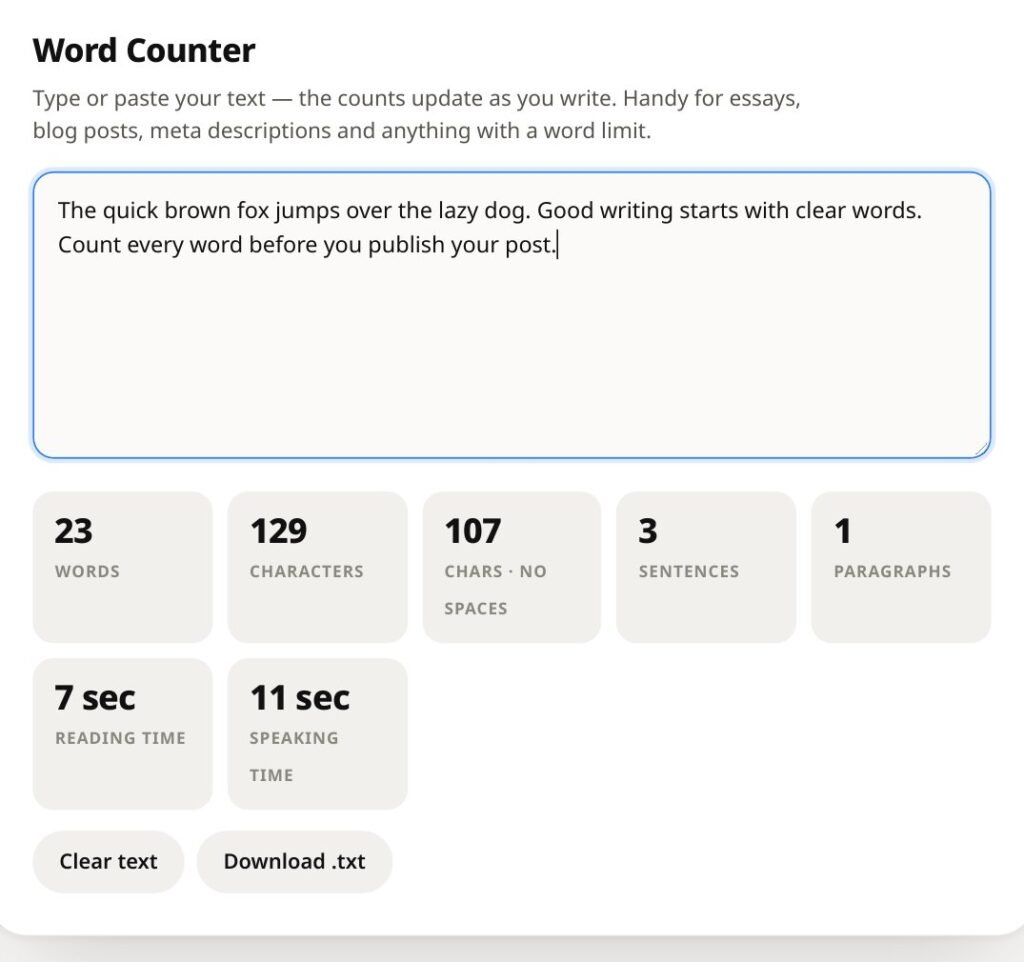
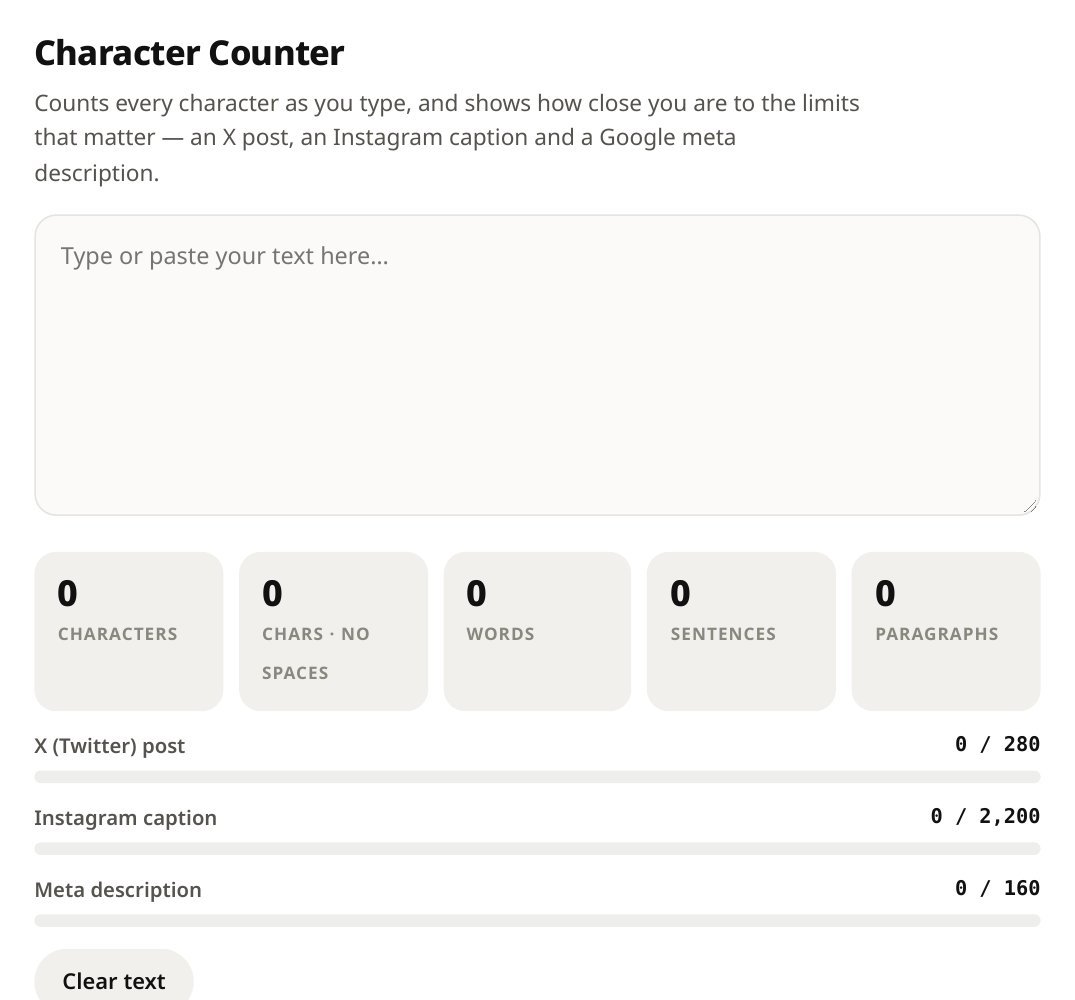
Quick answer: Open the free Word Counter and type or paste your text. The counts update live with every keystroke: words, characters with and without spaces, sentences, paragraphs, reading time and speaking time. Need a character limit instead? The free Character Counter shows the same counts plus live meters for an X post (0/280), an Instagram caption (0/2,200) and a meta description (0/160). Both tools run in your browser. Your text is never uploaded and there is no sign-up.
How to count words in 3 steps
Counting words should take seconds, not a spreadsheet. Here is the whole method.
- Open the Word Counter. Go to the Word Counter on SavyTools.
- Type or paste your text. There is no button to press and no file to upload. The counts update live as you type.
- Read the numbers. Words, characters, sentences, paragraphs, reading time and speaking time all appear at once. Use Clear text to start over, or Download .txt to save your text as a plain text file.
That is all there is to it. The same three steps work for an essay, a blog post, a cover letter, a caption or a speech draft.
- No sign-up. You do not create an account and you do not give an email address.
- No upload. The counting happens in your browser, so your text never leaves your device.
- No button. The counts change with every keystroke, so the total you see is always the current total.
What the Word Counter shows
Paste any text and you get seven numbers plus a keyword list. Each one answers a different question.
| Count | What it tells you | How the tool works it out |
|---|---|---|
| Words | How long your text is | Splits your text on spaces and line breaks |
| Characters | The full length, spaces included | Counts every character you typed |
| Chars, no spaces | The length without spacing | Counts characters after removing all spaces and line breaks |
| Sentences | How many sentences you wrote | Splits on full stops, exclamation marks and question marks |
| Paragraphs | How your text is broken up | Splits on blank lines. One unbroken block counts as 1 paragraph |
| Reading time | How long it takes to read | Your words divided by 200 words a minute |
| Speaking time | How long it takes to say out loud | Your words divided by 130 words a minute |
- Reading time is an estimate. It uses an average adult reading speed of 200 words a minute. Fast readers will finish sooner and careful readers will take longer.
- Speaking time is slower than reading time. The tool uses 130 words a minute, a normal speaking pace. That is the number to use when you are timing a speech or a presentation.
- Short texts show seconds. If the time is under a minute, the tool shows seconds instead, for example 30 sec.
- Top keywords appear when a word repeats. The tool lists your top 5 repeated words, with how many times each appears and what share of your text it is. Common words like “the” and “and” are ignored, and a word only shows up if it repeats. It is a quick way to spot a word you are overusing.
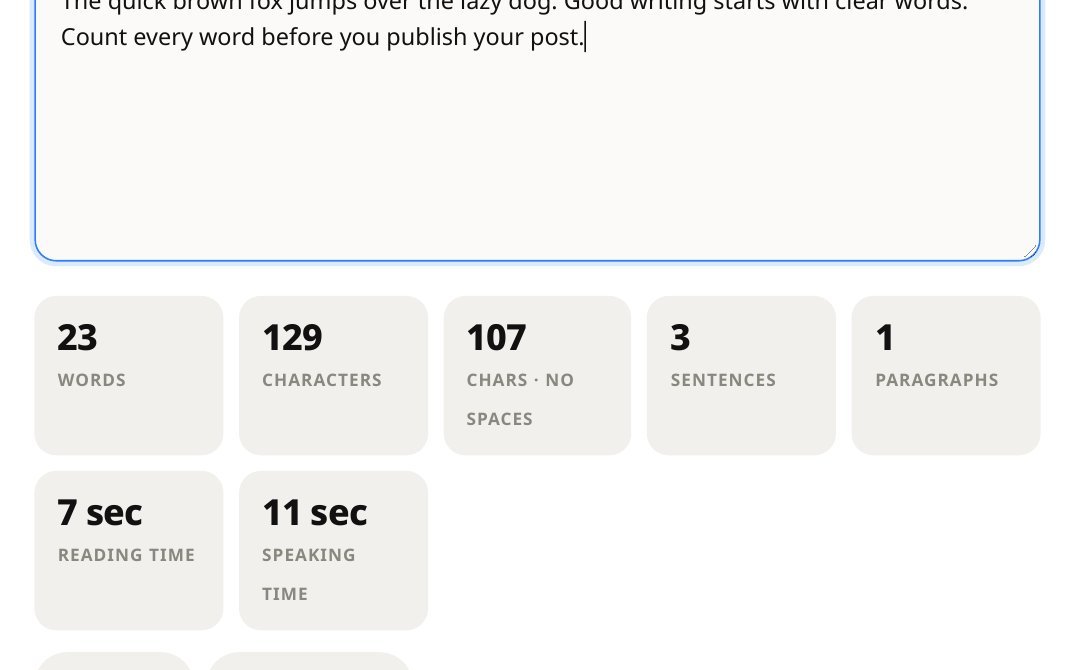
Word count vs character count: which one do you need?
Words and characters measure different things, and different places ask for different ones. Use this rule:
- Word count is for essays, assignments, articles, blog posts and reports. A teacher or editor who says “500 words” means words.
- Character count is for posts, bios, captions and meta descriptions. A platform that says “280 characters” means characters, spaces included.
| You are writing | Check this number | Why |
|---|---|---|
| School essay or assignment | Words | Word limits are set in words |
| Blog post or article | Words | Word count sets the length and the reading time |
| X post | Characters | X counts every character, spaces included, up to 280 |
| Instagram caption | Characters | Captions allow up to 2,200 characters |
| Meta description | Characters | Google shows around 160 characters |
| Speech or presentation | Speaking time | Speaking time tells you how long you will be talking |
One common mistake is counting characters when a limit is in words, or the other way round. A 500-word essay is about 2,500 characters. A 280-character X post is only about 45 to 55 words. The two numbers are not close, so always check which one your limit uses.
Real test: what the tool showed for 100, 500 and 1,000 words
I tested the live tool with known samples so the numbers below are real tool output, not estimates. The sample was the sentence “The quick brown fox jumps over the lazy dog today.” repeated to reach each word count.
| Sample | Words | Characters | Chars, no spaces | Sentences | Paragraphs | Reading time | Speaking time |
|---|---|---|---|---|---|---|---|
| 100 words | 100 | 510 | 410 | 10 | 2 | 30 sec | 46 sec |
| 500 words | 500 | 2,549 | 2,050 | 50 | 1 | 3 min | 4 min |
| 1,000 words | 1,000 | 5,099 | 4,100 | 100 | 1 | 5 min | 8 min |
- Characters run about 5 times the word count. English averages about 5 characters per word plus a space, so 100 words came out as 510 characters. Use that ratio for a rough check of your own text.
- Reading time is much shorter than speaking time. 1,000 words take about 5 minutes to read but about 8 minutes to say out loud. If you are writing a speech, trust the speaking time, not the reading time.
- Paragraphs need a blank line. The 100-word sample had a blank line in the middle, so it counted as 2 paragraphs. The 500 and 1,000-word samples had no blank line, so each counted as 1 paragraph even though they were long. Press Enter twice to start a new paragraph.
The Character Counter and its limit meters
When the limit is in characters, switch to the Character Counter. It shows characters, characters without spaces, words, sentences and paragraphs, plus three live limit meters with progress bars:
| Limit meter | Limit | What it is for |
|---|---|---|
| X (Twitter) post | 280 characters | A single X post |
| Instagram caption | 2,200 characters | A caption under an Instagram post |
| Meta description | 160 characters | The short description Google may show in search results |
- The bar fills as you type. Each meter shows your current character count against its limit, for example 27/280.
- Going over the limit flags the meter. The row is marked as over when your text passes the limit. The tool does not stop you typing and does not cut your text off. It only shows you that you are past the limit.
- Characters include spaces. The meters count every character you typed, spaces included, because that is how the platforms count them.
- There is no word limit. Neither the Word Counter nor the Character Counter has a word limit. You can paste a long document and the counts keep working.
Where word counts matter
Word and character limits show up in more places than most people expect. These are the common ones:
| Task | Usual limit | Count to check |
|---|---|---|
| Common App college essay | 250 to 650 words | Words |
| Short school essay | 500 words | Words |
| Blog post | 1,000 to 2,000 words | Words |
| X post | 280 characters | Characters |
| Instagram caption | 2,200 characters | Characters |
| Meta description | About 160 characters | Characters |
| LinkedIn post | 3,000 characters | Characters |
| YouTube description | 5,000 characters | Characters |
Limits change, so always check the current rules where you are posting. The numbers above are the usual limits at the time of writing, and the Character Counter meters cover the three you will hit most often.
- Essays: If your assignment says 500 words, aim for 480 to 520. A counter keeps you inside the range without guessing.
- Social posts: Write the post, paste it in, and trim until the meter is under the limit. Cutting filler words is faster than rewriting.
- Meta descriptions: Keep the key point inside the first 160 characters. Anything past that may be cut off in search results.

Two small extras: Top keywords and Download .txt
The Word Counter has two features people miss.
Top keywords lists your most repeated words once a word appears more than once. If one word is 10 percent of your essay, you are probably repeating yourself. Swap in a synonym or cut a sentence. If you are rewriting, the Paraphrase guide shows a simple method for restating ideas in your own words.
Download .txt saves your text as a plain text file called savytools-text.txt. It is handy when you counted text on a shared computer and want to take it with you.
When the draft is counted and you want to clean it up, run it through the Grammar Checker guide next. It checks grammar, spelling and punctuation in American English, up to 5,000 characters per check.
Word counting for essays
If you are counting words for an essay specifically, there is a separate guide for that. The essay word count guide covers essay word limits, how teachers count words, and how to hit a target like 500 or 1,000 words without padding. This guide is the general tool guide. Use the essay guide when the assignment is the question, and this guide when the tool is the question.
FAQ
Does the Word Counter count words as I type?
Yes. The counts update live with every keystroke, so the total you see is always the current total. There is no button to press and no waiting.
What is the difference between characters and characters without spaces?
Characters counts everything you typed, including spaces and line breaks. Characters without spaces counts only letters, numbers and punctuation. Some limits use one and some use the other, so check which one applies. X, Instagram and meta description limits all count spaces.
How is the reading time worked out?
The tool divides your word count by 200 words a minute, an average adult reading speed. It is an estimate, not an exact measurement, because everyone reads at a different pace. Speaking time uses 130 words a minute instead.
Is there a word limit on the Word Counter?
No. There is no word limit on the Word Counter or the Character Counter. You can paste a long document and the counts keep working. The Character Counter meters only flag it when your text passes a platform limit. They never stop you typing.
Does the Character Counter stop me when I pass 280 characters?
No. The X meter is marked as over when your text passes 280 characters, but the tool does not cut your text off. You can keep typing and trim the post down until the meter is back under the limit.
Is my text uploaded or stored anywhere?
No. The counting runs in your browser, so your text never leaves your device. There is no account, no sign-up and nothing stored on SavyTools. Clear text wipes the box, and closing the page removes the text.
Bottom line
Counting words and characters takes seconds when the tool does the work. Open the Word Counter, paste your text, and read the numbers. If the limit is in characters, use the Character Counter and watch the meters. Both are free, both work as you type, and neither asks you to sign up.
